Managing local administrators
The accounts of local administrators are created locally on the SMC server.
 Adding local administrators
To add a local administrator:
-
Go to Maintenance > SMC Server > Administrators, and click on Add an administrator.
-
Fill in the following mandatory fields:
-
Select the access privileges. For more information, refer to the section Managing administrator privileges as super administrator and the section Restricting folder administrators' access privileges.
-
Set a password for the administrator in line with the password policy described in the following section.
| Field | Description |
|---|---|
| ID |
Identifier of the local administrator. |
| Name |
Name of the local administrator shown in SMC. |
The following terms are reserved on SMC, so cannot be used as IDs: root, daemon, bin, sys, sync, games, man, lp, mail, news, uucp, proxy, www-data, backup, list, irc, gnats, sshd, dhcpcd, messagebus, fwadmin-server, nobody.
Defining a password policy for local accounts
Only the super administrator can set the password policy for administrators with a local account, by choosing:
- The minimum length of the password: the password can contain between one and 128 characters. The password must have a minimum length of 16 characters by default.
- The mandatory character types: alphanumeric, alphabetic and special, and alphanumeric and special, or none.
- Lowest entropy value: takes into account the length of the password and the size of the character set used. The default value is 64 bits.
When a new SMC server is deployed, the password of the super administrator in the server initialization wizard must also contain at least 16 characters.
To set a password policy:
- Go to Maintenance > SMC Server > Administrators, and click on Edit local authentication settings.
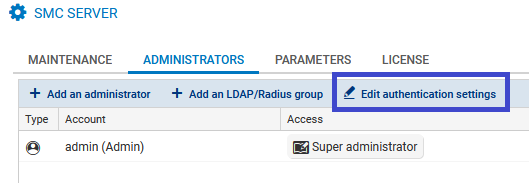
- In the Local tab, enable local authentication if necessary.
- Select the minimum length.
- Select the mandatory character types.
- Select the lowest entropy value.

The password policy applies to all administrators who have a local account.
It also applies to passwords used for encrypting backups. For more information, please refer to the section Saving and restoring the SMC server configuration.
Passwords that were set before this policy was applied will remain valid but we recommend that you change them to comply with the set policy.
The 128-character limit also applies to administrators’ logins and names.
Disabling local authentication
The super administrator can disable local authentication and therefore allow administrators to authenticate only through a Radius or LDAP authentication server.
- Go to Maintenance > SMC Server > Administrators, and click on Edit local authentication settings.
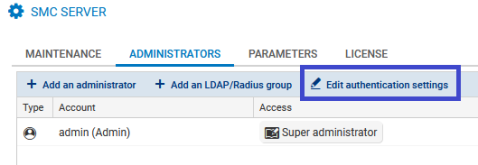
- In the Local tab, unselect Local authentication enabled.
- Click on Apply.
The super administrator continues to hold the privilege of authenticating with their local password. This is the only authentication mode available to them.